
|
|
WELCOME TO CONTEXT SOFTWARE
|
|
Welcome to Context Software web site.
We excel in producing end-user applications, comprehensive
component packages for software developers and database driven
web sites. Our flagmanship products are Context
Database Extensions component package for Borland Delphi
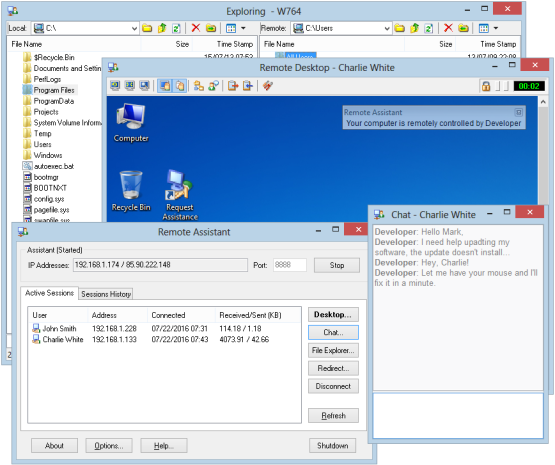
and Remote Assistant
software, designed to help regular users as well as support
professionals in assisting remote users over LAN or Internet
connection.
|
 |
December 19, 2007
We wish you all merry Christmas and happy, healthy and prosperous New Year!
For a short time only get 30% OFF on all our products
Follow this link and see for yourself:
http://www.contextsoft.com/christmas.jsp
Hurry up, sale ends January 8th!
Also, all Context Software customers can now get 10% to 20% OFF
on the products of our partners:
To receive these great offers, please, contact our sale department.
|
 |
June 26, 2007
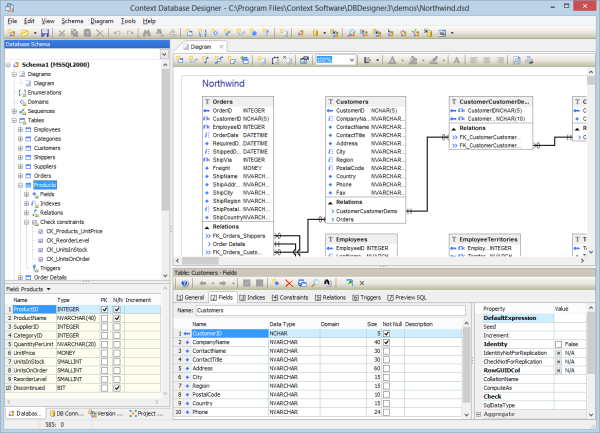
We are happy to announce the new release of Context Database Designer & Database Extensions v.2.15.
This version introduces several improvements and bug fixes:
Improvements
- #562
Added storing the order in which the relation items are created. This fixes the problem when the relationships rearranged manually in the diagram editor were resorted again after the diagram is reloaded.
- #563
Added check for maximum length allowed for the identifiers (schema consistency testing).
- #564
Added AllowHTMLFormatting option to the diagram text box. This allows to create a text box, which is not HTML formatted.
Issues Addressed
- #565
Fixed problem with backup and auto-saving functionality. If error occurs during save operation, 2.14 and earlier versions could corrupt both the backup and auto-save files.
- #566
Fixed problem with copy/pasting of diagram text blocks.
- #567
Fixed problem with paper format and orientation are not saved properly for paper formats other then Letter (default).
- #568
Fixed problem in opening of diagrams, saved by previous versions of the Database Designer. DataType property was not correctly restored.
Both products are immediately available for download.
|
 |
May 17, 2007
We are happy to announce final release
of Remote Assistant 2.0.
This is your last chance to get Remote Assistant v.2 for the
price of v.1., which means discounts of 30% to 50%!
Hurry, this offer ends May 22!
Here's the list of improvements and bug fixes in this release
compared to the previous release candidate 2.0 RC2.
Improvements in this release
- #544 Tested for Vista compatiblity. All windows now behave and
minimize correctly under Vista.
- #545 Captions are corrected to be consistent across all Remote
Admin windows.
- #546 Added semi-transparent status window on the Remote Host side
to nitofy user about all operations perfrmed by admin.
- #547 Screen scanning is improved to conusme as little CPU
resources as possible. CPU usage is reduced to 3-5% on average
low end computer.
- #548 Added options dialog for RemoteAdmin, allowing to specify
default settings for Remote Desktop, Chat, TCP\IP filtering and
more.
- #549 Remote desktop options reworked to be more self-explanatory.
- #550 Remote Admin shows all connections in the tray-icon popup
menu, allowing for simple access to their desktop, file explorer
and chat.
- #551 All opened Windows of Remote Admin made top level windows,
so they are shown correctly on taskbar when minimized.
- #552 Added Screen sizing and scaling on Remote Admin. Optional
anti-aliasing makes scaled screen look readable.
- #556 Added sound to Remote Admin to alert administrator when a
connection is requested.
- #557 Added IP filtering (white and black list) to Remote Admin.
- #558 Added ability to resume/recommence aborted file transfer.
- #559 Improved behaviour in full screen mode. Toolbar is now
automatically hiding and showing when the mouse pointer reaches
top of the screen. The remote desktop is scaled automatically if
necessary in full screen mode in order to fit all screen
contents.
- #560 Added automatic connection pinging to keep connection during
long periods of inactivity.
- #561 Added option to determine Remote Admin's WAN IP address,
using external services, such as www.whatismyip.org. This can be
configured in Remote Admin options.
Issues addressed by this release
- #553 Fixed bug with threading. The remote desktop thread was
being resumed twice, which caused errors under Win98.
- #554 Fixed bug with Alpha blending, which is not supported under
Win98.
- #555 Fixed bug with colors not being mapped correctly under Win98
when the desktop is set to true color and the target color depth
is 256 colors.
This product is immediately available for download.
|
 |
April 27, 2007
We are happy to announce the new release of Context Database Designer & Database Extensions v.2.14.
This version introduces several improvements and bug fixes:
Improvements
- #531 In schema consistency test added warning if object names
matches certain masks, reserved for a particular database engine
(e.g. RDB$, C_PK$, etc.).
- #532 Added line scaling on diagram printing.
- #533 Improved auto-layout of diagram tables.
- #534 Adjusted Elevate DB profile to match changes introduced in
1.02 release (changed GENERATED to COMPUTED).
- #535 Added log for all skipped statements and error during SQL
import.
Issues Addressed
- #536 Fixed minor problems in SQL Console window.
- #537 Fixed problem with page settings not being restored
correctly.
- #538 Fixed minor problems in SQL import\reverse engineering.
- #539 Fixed bug converting from previous versions of schema.
- #540 Fixed several problems in Firebird 1 & 2 profiles (BLOB
type, index creation).
- #541 Fixed several minor printing problems.
- #543 Fixed problem with domains not being imported during reverse
engineering.
Both products are immediately available for download.
|
 |
February 21, 2007
We are happy to announce the release of Remote Assistant 2.0 RC2.
Improvements in this release
- #524 Chat's content is retained during whole session even if chat
window is closed.
- #525 Added complete localization of RemoteHost. All messages and
captions can be specified in RemoteHost.cfg file.
- #526 Added Mesage Beep alert when opening Chat session.
- #527 Added support for dual monitor mode. In RemoteAdmin user can
select which monitor to control on client side.
- #529 Added forward compatibility features to RemoteHost.\
Issues addressed by this release
- #523 Fixed bug in Remote Admin. File Explorer showed incorrect
name or remote computer.
- #528 Fixed problems with Tab and some other keys not working properly.
This product is immediately available for download.
|
 |
February 20, 2007
We are happy to announce that the support for ElevateDB database by Elevate Software is now available both in Context Database Designer & Database Extensions (v.2.13).
Context Database Designer Adapter library can be download at:
http://www.contextsoft.com/products/dbdesign/downloads.jsp
(Look for "Elevate DB Database Adapter" item).
Context Database Extensions components (provided in full source code) can be downloaded at:
http://www.contextsoft.com/products/ctxdbext/downloads.jsp
(Look for "Elevate DB Database Extensions" item).
|
|
 |
Featuring Products
|
New! Context Database Designer
|
New! Remote Assistant 2.0
|
Context Database Extensions
|
DBISAM ADO.Net Provider
|
Context Scripting Suite
|
|
|